'/%3e%3c/clipPath%3e%3cclipPath%20id='back'%3e%3crect%20x='-2000'%20y='-2000'%20width='4000'%20height='2004'%20transform='rotate(-30)'/%3e%3c/clipPath%3e%3cmask%20id='under-front'%20maskUnits='userSpaceOnUse'%20x='-490'%20y='-524'%20width='980'%20height='848'%3e%3crect%20x='-490'%20y='-524'%20width='980'%20height='848'%20fill='%23fff'/%3e%3cg%20clip-path='url(%23front)'%3e%3cpath%20transform='rotate(-30)'%20d='M-536%200%20A536%20166%200%201%200%20536%200%20A536%20166%200%201%200%20-536%200%20Z%20M-464%20-28%20A464%2094%200%201%200%20464%20-28%20A464%2094%200%201%200%20-464%20-28%20Z'%20fill-rule='evenodd'%20fill='%23000'%20stroke='%23000'%20stroke-width='64'/%3e%3c/g%3e%3c/mask%3e%3cmask%20id='behind-play'%20maskUnits='userSpaceOnUse'%20x='-490'%20y='-524'%20width='980'%20height='848'%3e%3crect%20x='-490'%20y='-524'%20width='980'%20height='848'%20fill='%23fff'/%3e%3cpath%20d='M-310%20-454.449%20A50%2050%200%200%201%20-235%20-497.75%20L275%20-203.301%20A50%2050%200%200%201%20275%20-116.699%20L-235%20177.75%20A50%2050%200%200%201%20-310%20134.449%20L-310%20-454.449%20Z'%20fill='%23000'%20stroke='%23000'%20stroke-width='64'%20stroke-linejoin='round'/%3e%3c/mask%3e%3c/defs%3e%3cpath%20d='M-310%20-454.449%20A50%2050%200%200%201%20-235%20-497.75%20L275%20-203.301%20A50%2050%200%200%201%20275%20-116.699%20L-235%20177.75%20A50%2050%200%200%201%20-310%20134.449%20L-310%20-454.449%20Z'%20fill='url(%23play)'%20mask='url(%23under-front)'/%3e%3cg%20mask='url(%23behind-play)'%3e%3cg%20clip-path='url(%23back)'%3e%3cpath%20transform='rotate(-30)'%20d='M-536%200%20A536%20166%200%201%200%20536%200%20A536%20166%200%201%200%20-536%200%20Z%20M-464%20-28%20A464%2094%200%201%200%20464%20-28%20A464%2094%200%201%200%20-464%20-28%20Z'%20fill-rule='evenodd'%20fill='url(%23orbit)'/%3e%3c/g%3e%3c/g%3e%3cg%20clip-path='url(%23front)'%3e%3cpath%20transform='rotate(-30)'%20d='M-536%200%20A536%20166%200%201%200%20536%200%20A536%20166%200%201%200%20-536%200%20Z%20M-464%20-28%20A464%2094%200%201%200%20464%20-28%20A464%2094%200%201%200%20-464%20-28%20Z'%20fill-rule='evenodd'%20fill='url(%23orbit)'/%3e%3c/g%3e%3c/svg%3e)
iPhone and iPad
An IPTV player that feels like it came with your iPhone
Aina is built from Apple’s own controls: the tab bar, the menus, the search field, the alerts. Your channels, films and series sit inside an app that behaves like the rest of your iPhone and iPad, and plays the streams Apple’s player cannot.
Updated · By the Aina IPTV team
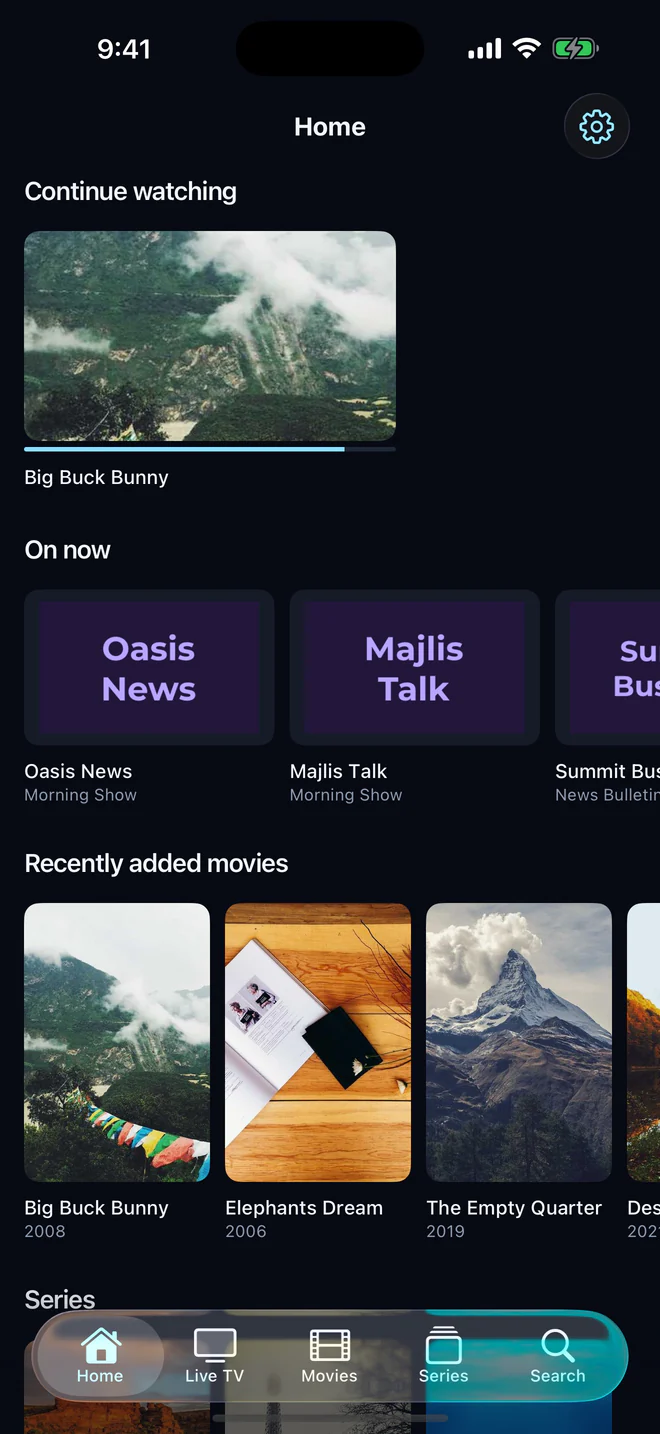
Plays what Apple’s player cannot
Apple’s video player opens HLS, and most IPTV providers send MPEG-TS and MKV. Aina plays every stream with libVLC, so a line that shows nothing but errors in other iPhone apps plays here, with the same controls for every channel and film.
Made for the phone in your hand
- Drag the timeline, double-tap either side to skip, and swipe for brightness on the left and volume on the right.
- Picture in Picture: keep a match playing in a corner while you reply to a message.
- Google Cast: send what is playing to a Chromecast or a television with Chromecast built in.
- Audio tracks and subtitles, playback speed, picture size, a sleep timer and a control lock.
- Hold a poster or a channel for a menu of what you can do with it, with a preview.
Downloads for the flight
Download a film, an episode or a whole season and watch it without a connection, where your provider allows it. Downloads keep going while you use other apps, can be paused and resumed, and stay out of iCloud and computer backups. A finished one can be saved to Files or shared.
On iPad, room to breathe
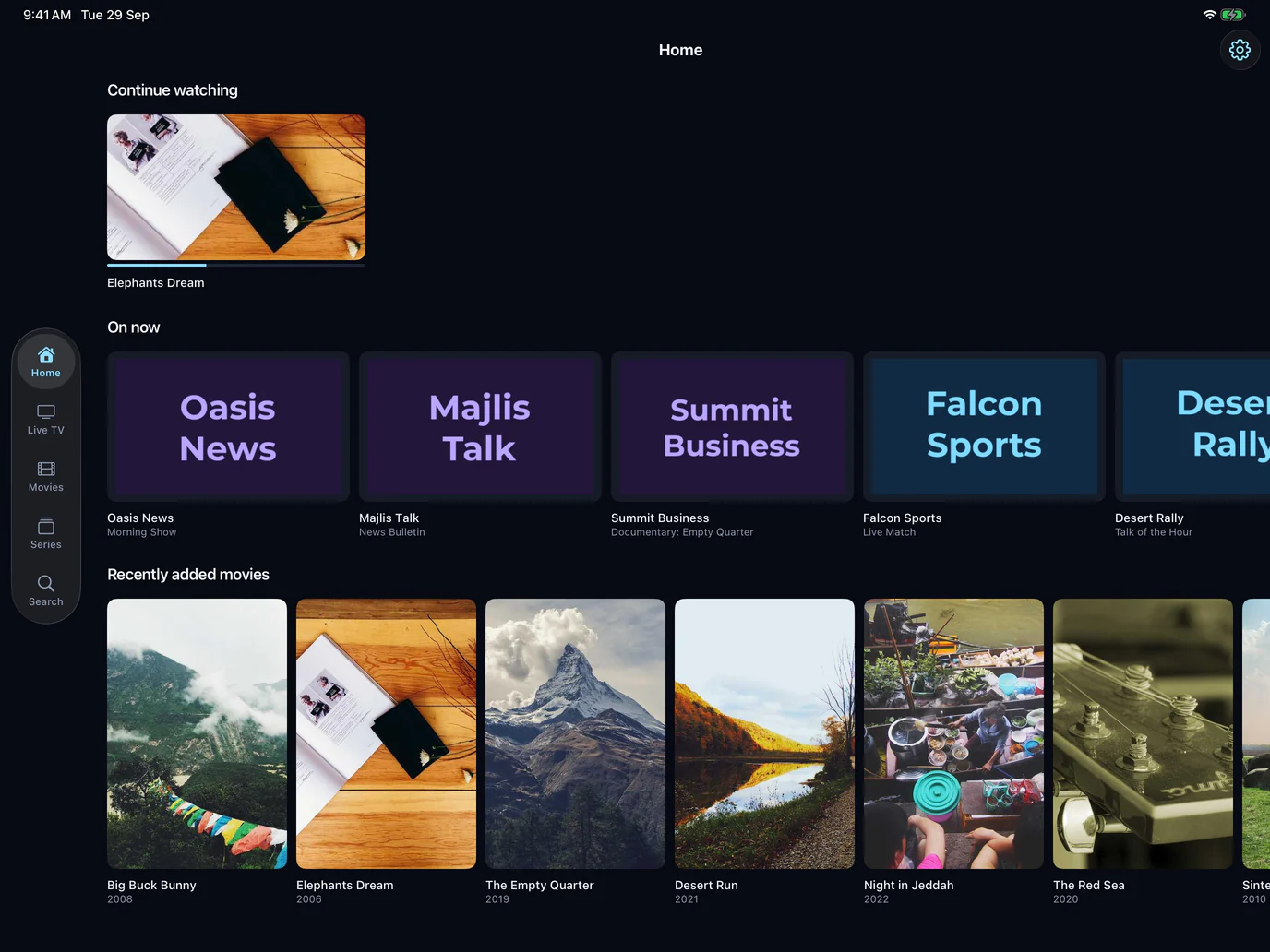
Posters, plots and ratings with space around them, more of your library on screen at once, and one search across everything.
Readable at any size
Text follows the size you set in Settings, up to the largest accessibility size, and rows grow to hold it rather than cutting titles short. VoiceOver reads every control, and anything that appears by itself, such as a stream that will not play, is read aloud.
Everything from your line
- Xtream Codes and M3U playlists, as many subscriptions as you like.
- Live TV with now and next, the TV guide and catch-up.
- Films and series, resume, and Continue watching.
- Parental controls, in English and Arabic.
What you need
An iPhone or iPad with iOS or iPadOS 16.4 or later, and a subscription from an IPTV provider of your choosing. Aina is coming to the App Store soon.
Questions and answers
One that plays the TS and MKV streams providers actually send, reads your guide, and behaves like an iPhone app. Aina plays every stream with libVLC, and is built from Apple’s own controls.
Yes. Leave the app while something plays and it carries on in a window you can move and resize.
Yes, films and episodes, a whole season at a time if you like, where your provider allows it.
Purchases belong to your Apple account and restore on any device signed in to it.